
BUILDING REAL-TIME NATURAL ENVIRONMENTS — PART 04
Mesh clean-up, retopology and UVs
Converting raw scan data into clean, usable geometry.
MESHING AND CLEAN-UP
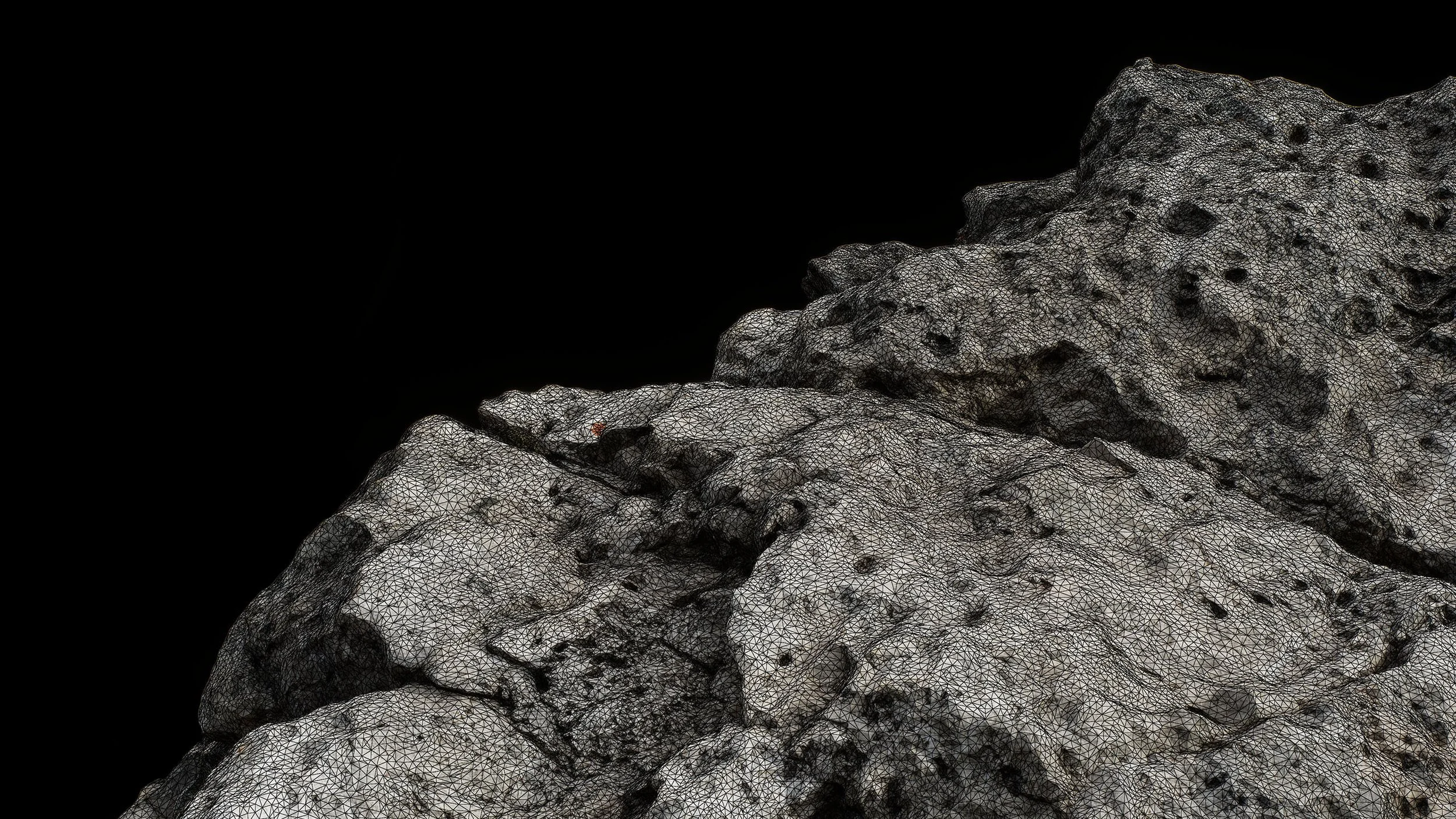
Metashape’s decimation algorithm is as solid as anything we have tried, and quick. If the asset does not contain any major topology related issues, we tend to simply decimate the highpoly source to a suitable level.
Maximizing detail, minimizing data
The ideal tri-count will vary depending on use case, project specifications and performance budgets. Defining an exact budget is not always easy, so we might have to go from being specific to being flexible, then the question becomes:
How low can we go to still hold up without tessellation/displacement
While not going so low as to not be able to cleanly recover the details
The entire point behind this methodology is to maximize the amount of recoverable data through runtime solutions such as Nanite Tessellation, while keeping a “lightweight” foundation.
Too much geometry has some nasty side effects in the production pipeline:
It slows down asset production
It has negative effects on the auto UV process
It lowers your tri-optimization headroom without requiring re-baking
It creates a lot more data on disk
It increases runtime memory usage
By identifying the ideal middle ground, we can leave room for post-bake optimization while maintaining a high-quality base mesh. On top of that, we can then leverage nearly stretch-free tessellation/displacement which wouldn’t be possible on a true low-poly.
Retopology
This refers to any mesh you bring out of Metashape for further refinement. If your highpoly source has some minor surface defects like tunnelling and overlapping, this will show up on your Metashape-decimated lowpoly.
It could make sense to export it and do some VDB operations or similar.
Main thing to keep in mind then is that in most cases you have an open object, which doesn’t play well with VDBs.
In the end it’s an extra step that ideally should be avoided.
Houdini’s Remesh to Grid node has thought about this.
Deleting floating geometry
This is done in two steps, once on your highpoly scan as part of the clean-up process, and after having created your decimated lowpoly as this process tends to create some floaters.
Tools → Model → Clean Model → Criterion: Connected component size
Closing holes
Small holes are often hard to detect, while larger holes can happen in hidden areas. Closing holes right after generating your lowpoly is the best and easiest way of dealing with it.
Tools → Model → Close holes
Best to keep the level below 50% to avoid capping things you shouldn’t.
After the holes are capped, it will automatically select the newly created geometry. We like to do a selective smoothing operation on the selection, as this helps blend it into the surrounding geometry instead of creating a perfectly flat surface.
Hidden clean-up feature
There exists a rather hidden mesh clean-up feature in Metashape.
It will not retopologize the mesh, only fix any mesh issues it can find as per the list. If the option is grayed out (which it will be at times), it means there is nothing that can be fixed.
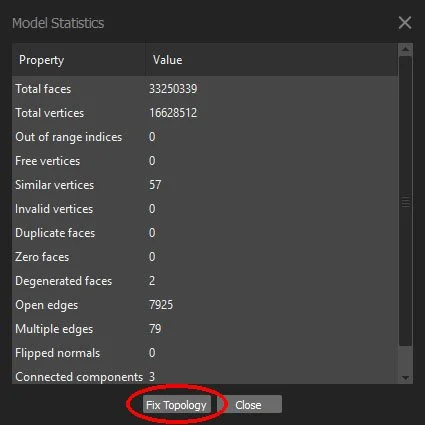
Tools ➔ Model ➔ View Model Statistics
UNWRAPPING
Metashape’s unwrapping algorithm is surprisingly robust, but lacks any controls. It will generate reasonable cuts with relatively low distortion, but it leaves several things on the table:
World-aligned UV island rotation
Seam placement control
Packing efficiency can be improved by ~5-10%
RizomUV and UVPackmaster are great options
This becomes a concern if you want to overlay repeating textures such as detail maps, especially if they represent directional features.
While a world-aligned shader can get around this problem, deliberate UVs can project a certain texture flow on the object, helping them feel more integrated on the surface.
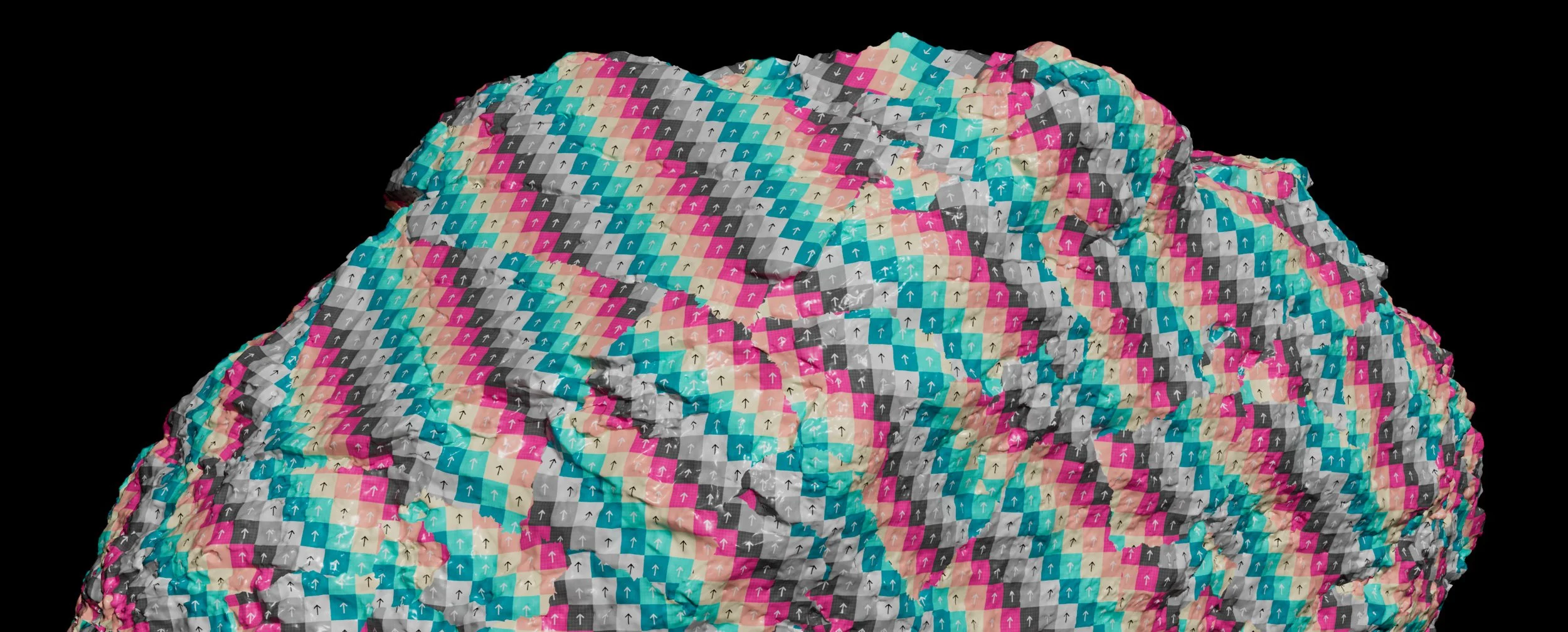
Metashape default (75% usage)
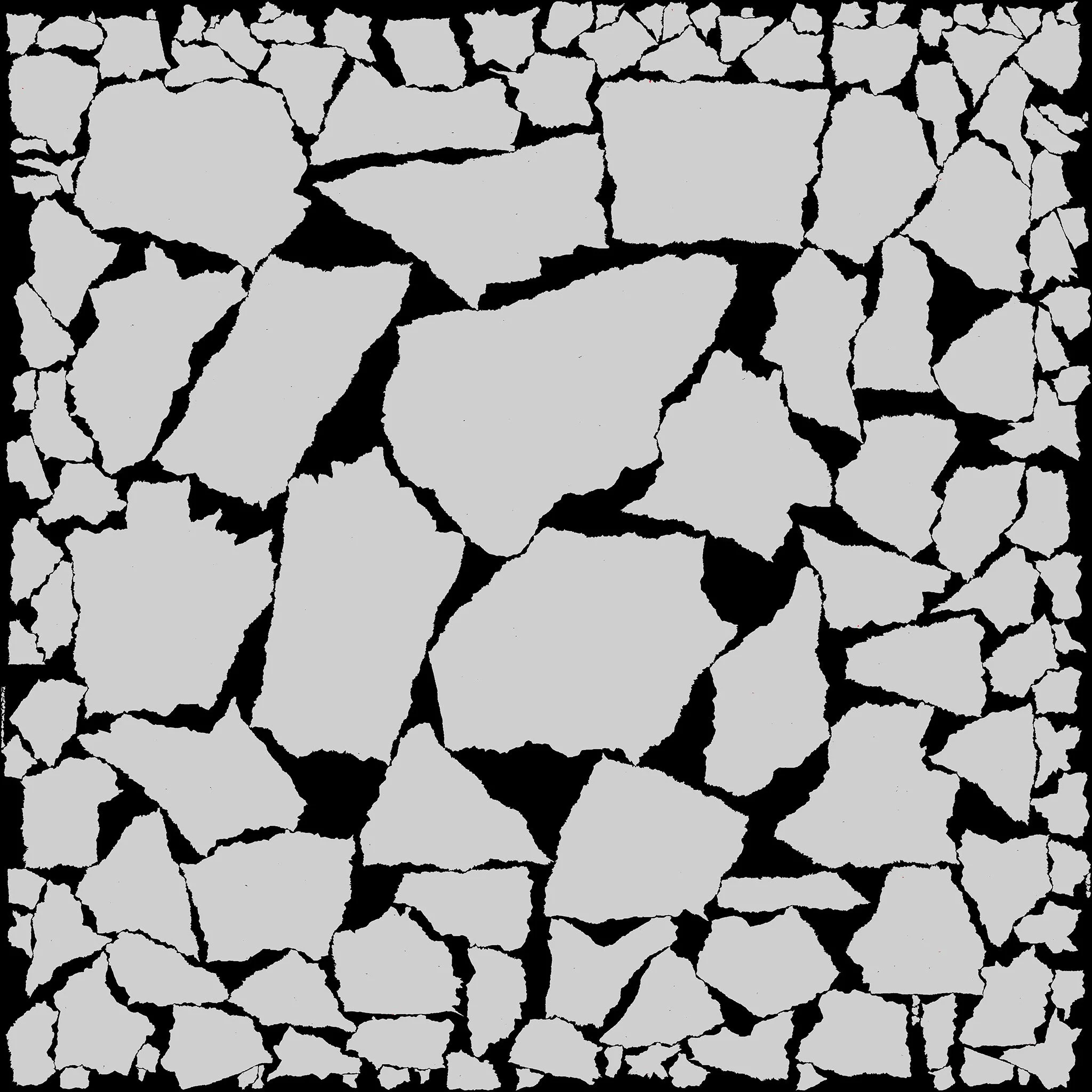
RizomUV (79% usage)
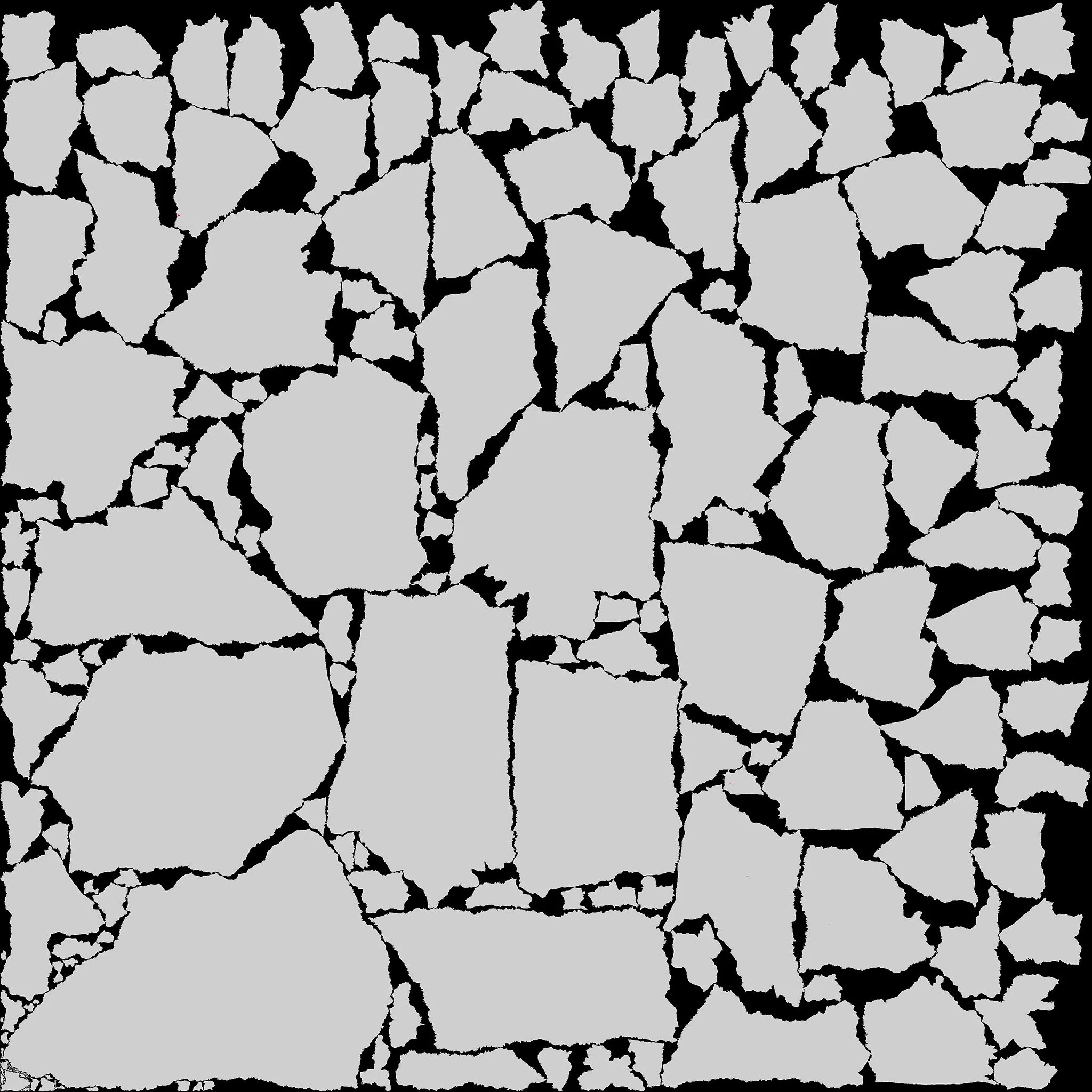
RizomUV (world-aligned, 76% usage)
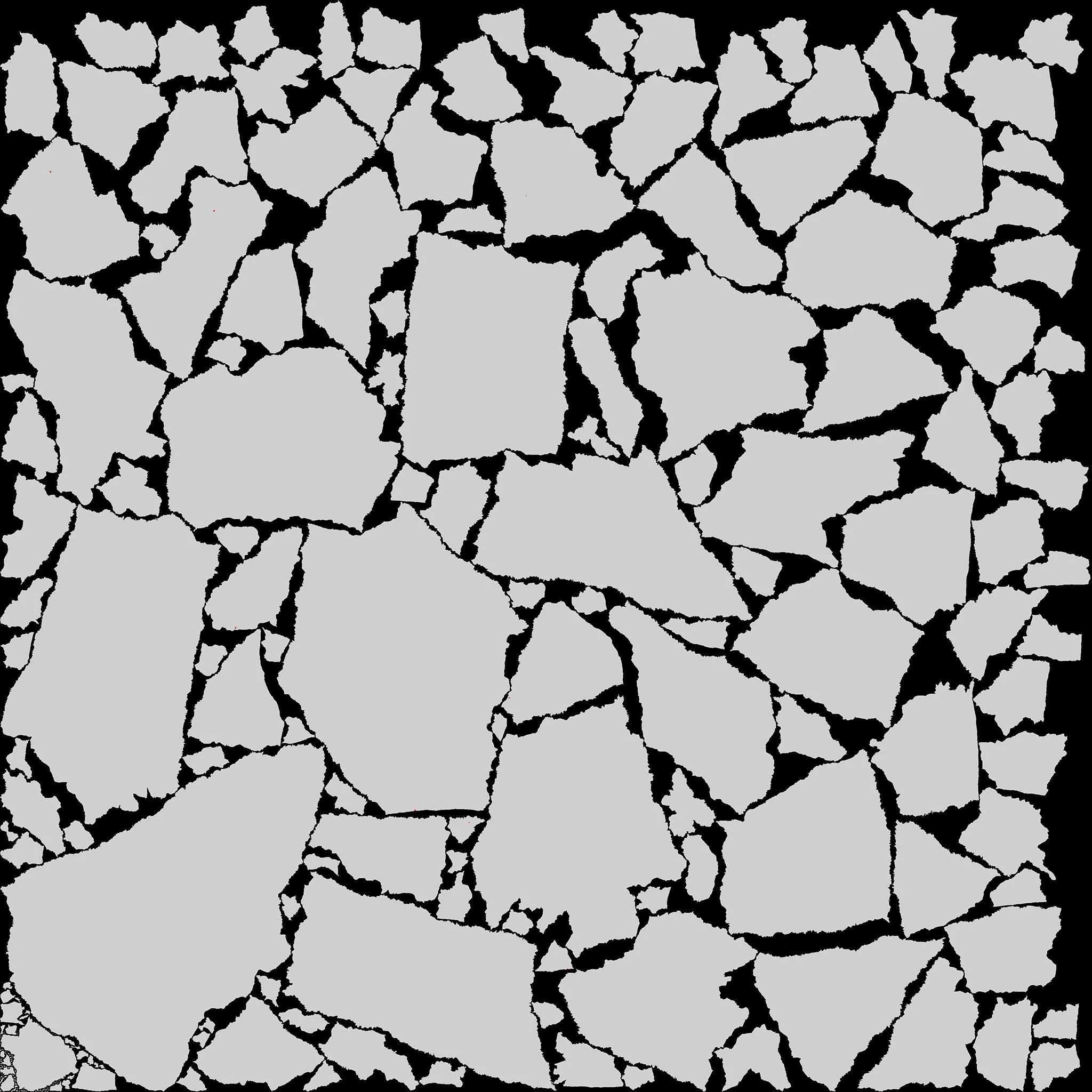
Defaulting to world-aligned may just be worth it.
Auto-UV
Regarding generating new UVs, we would argue that auto UV solutions are still not that strong.
Though in this case, do we have much of a choice? Methodically unwrapping a complex, million+ triangle object is a slow process, and the benefits are not always evident.
In case you feel like being more strict about hiding your seams, generating in Metashape and manually stitching islands together might overall be the best approach.
Auto-UV generation becomes a necessary part of the pipeline as assets become more complex
Mesh smoothing
Doing a very mild smoothing process on your lowpoly will help the unwrapping algorithm create less cuts and unkink any overlapping edges.
Be careful not to overdo it and end up with a soft mesh.
Smoothed at 0.5: 285 islands
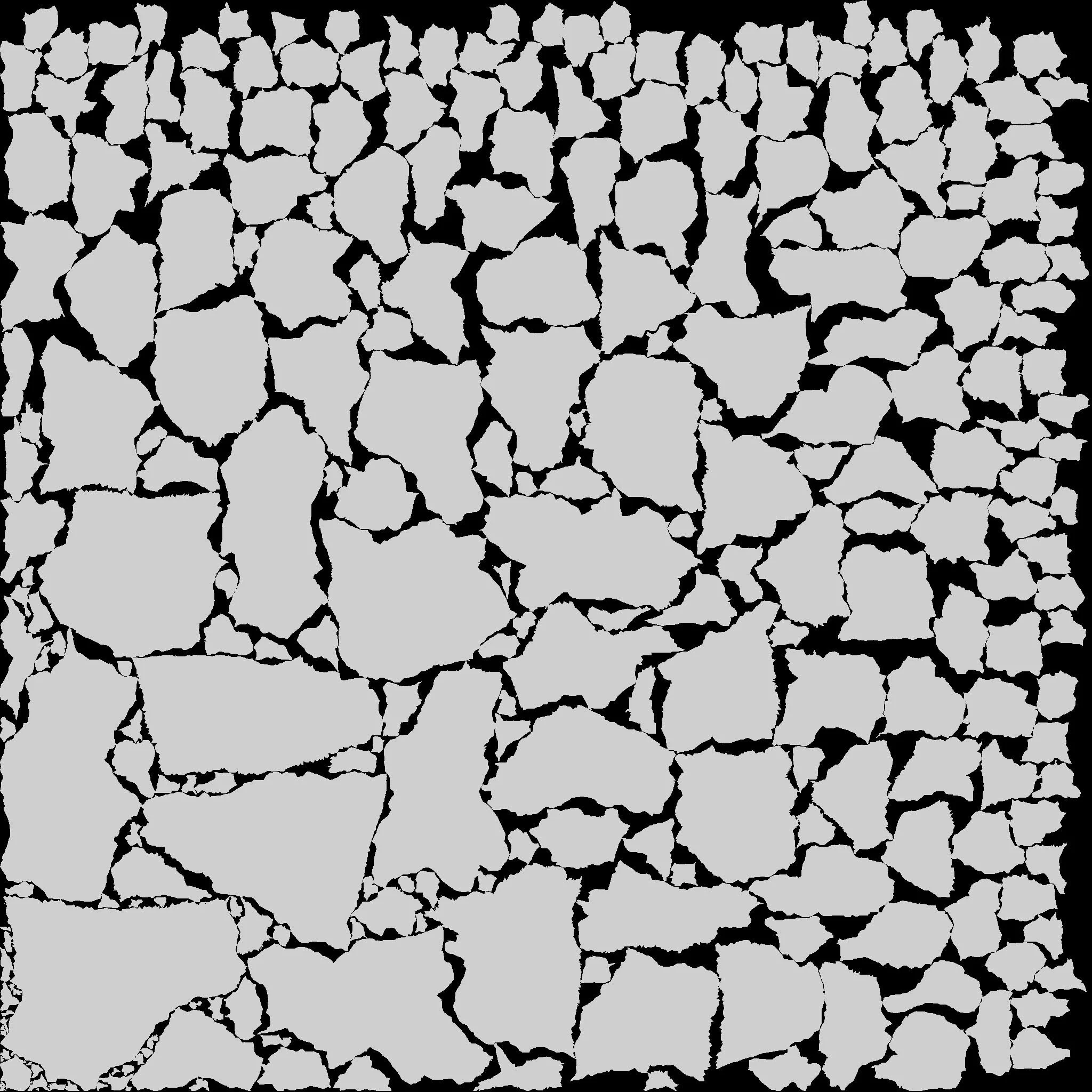
Default mesh: 625 islands
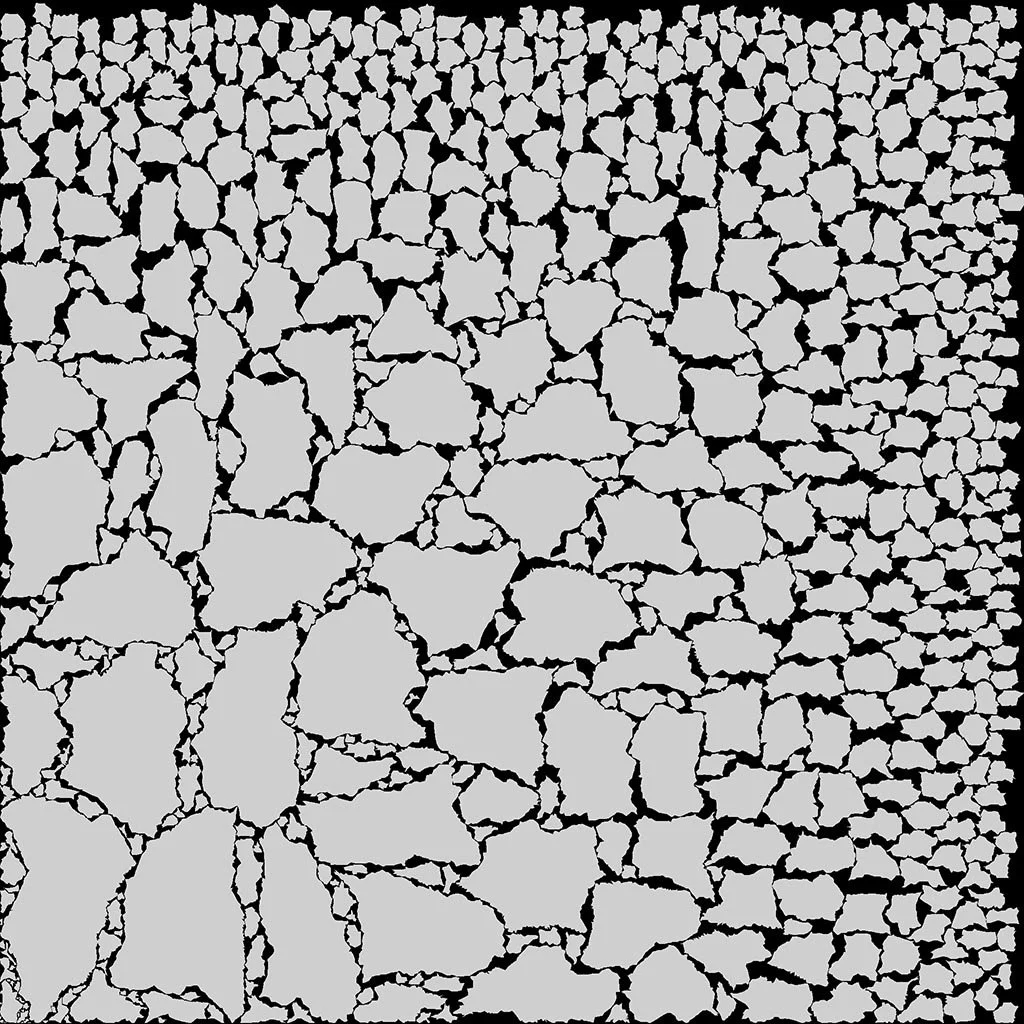
Auto UV algorithms tend to create cuts where it detects peaks & valleys. Smoothing helps counter-act this with little to no side-effect
Considerations
Post-bake optimization
There’s always a bunch of room to decimate the render mesh after it’s completed. A 90% reduction is possible without too many issues, although close up detail/silhouette will suffer.
That said, if you care about close up detail—and/or need to turn these into typical “lowpoly” game assets—simply removing triangles won’t be enough.
Shading driven by the combination of Normal map and mesh. Reducing one without compensating the other will flatten shading.
Re-baking without source
If you find yourself in a situation where you need to do significant tri-optimization on assets, returning back to the scan source to create a new lowpoly and re-bake can be a headache.
Technically, we already have most of the information, it’s just split disproportionally across mesh and normal map.
We might dive deeper into this separately as there are several ways to approach this.
Final thoughts
Photogrammetry produces extremely dense meshes, but not every triangle contributes meaningfully to the finished asset.
Clean-up and retopology should preserve essential surface detail while removing defects and data that only increase render costs or slow down the pipeline.
The correct balance depends on the scan and its intended use. An asset is optimized when its geometry and UVs are reliable, efficient, and appropriate for the role it must perform—not simply when its tri-count is as low as possible.
Optimization is not only about removing the most data, but also preserving the right data.
SERVICES
Let’s discuss Your Production
-
We develop complete natural environments around your art direction and production requirements.
From field-capture and asset creation to scene assembly and lighting, we bring the individual elements together into a cohesive environment, with detail and performance tailored to how it will be used.
-
We create trees and foliage with close attention to branching structure, silhouette, scale and the character of each species.
Our foliage is developed around your art direction and technical requirements, balancing the detail needed on camera with the performance demands of your project.
-
We capture natural assets and surfaces at a range of scales using:
Handheld photogrammetry
Drone photogrammetry
Photometric stereo capture
We process the captured data into usable geometry and textures, with clean-up, detail levels and output formats tailored to your production requirements.
-
We optimize assets and environments around your target hardware, frame-rate goals and memory budgets.
Complexity is adjusted to balance performance with the visual detail needed for your production.
-
We help integrate our assets and environments into your existing project, working with your team’s requirements for asset organization, engine compatibility and delivery formats.
This reduces the additional preparation needed after handover and helps your team put the content to work.
Whether you need a hero location, a complete environment,
or production support, we'd love to discuss your project.
Whether you need hero assets, a complete environment, or production support, we'd love to discuss your project.
Start a conversation
Tell us what you’re building and where you need support—from individual assets to a complete natural environment.
Prefer email? — services@apexnature.studio